Your New Tab,
Supercharged & Organized
Replace clutter with clarity. Speed Links transforms your browser's initial page into an organized dashboard with multiple profiles and link groups. 100% private with no data sharing. Completely free for 1 installation, with lifetime licenses available if you need multiple devices.
 Speed Links
×
Engineered for Velocity, Privacy & Focus
Everything you need to navigate the web faster without compromising your privacy or drowning in messy bookmarks.
Multi-Profile Management
Separate your Work, Development, Personal, and Study environments. Switch contexts instantly with dedicated link dashboards.
- Dedicated dashboards for each mode
- Zero overlap between personal and work links
- Instant profile hot-swapping
Structured Link Groups
Group related tools, cloud consoles, documentation, and communication channels into visual cards.
- Categorized card containers
- Custom titles and icons
- Drag and drop to organize the cards
Zero Link Tracking & Storage
Your data is strictly yours. Speed Links never analyzes, tracks, or shares your information with anyone, and never saves your link data on external servers.
- Zero tracking, telemetry, or link analytics
- No link data is ever saved on remote servers
- Stored purely locally in your browser storage
Backup & Import Configuration
Easily export and save your entire configuration to a file, and import it into another installation whenever you need.
- One-click export of profiles & link groups
- Seamless import across all your allowed installations
- Keep your workspace synchronized effortlessly
Free Tier & Lifetime Licenses
Speed Links is free for one installation upon verifying your email. If you need to use it across multiple computers or browsers, upgrade to a lifetime license with a single one-time payment.
- Free forever for 1 installation
- Multi-installation lifetime licenses (3 or 6 devices)
- One-time payment with no subscriptions or recurring fees
A Clean, Distraction-Free Command Center
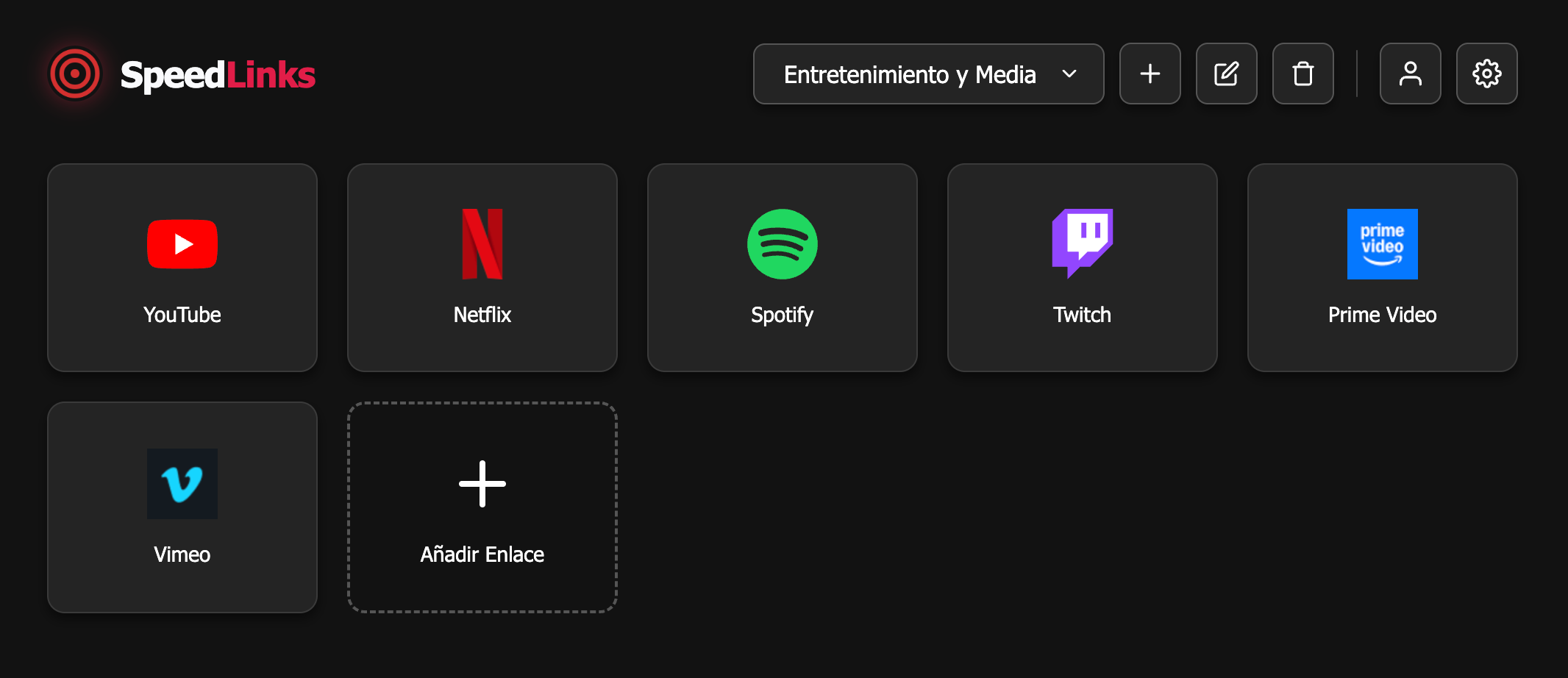
Take a look at how Speed Links looks in action. Crisp dark mode, intuitive layouts, and direct access to your most important links.
Real-world preview of Speed Links in Chrome
How It Works
Getting started is simple: install for free, get your license key, and enjoy.
Install the Extension
Add Speed Links to Google Chrome or any Chromium-compatible browser directly from the Chrome Web Store.
Get Your License
Claim your free license for 1 installation with your email, or purchase a multi-device lifetime license if you need more installations.
Enjoy, Backup & Organize
Create profiles, export/import your configuration between devices, and enjoy high-speed browsing.
Designed for Developers, Creators & Multitaskers
"Speed Links replaced 40+ messy bookmarks across my browsers. Switching between my client profiles and personal research is now effortless."
"The fact that my links are never analyzed or sent to any server gives me complete peace of mind. Plus, being able to start for free with 1 installation is amazing."
"Exporting my setup on my desktop and importing it onto my laptop took seconds. Setting up my link groups was super easy."
Everything You Need to Know
Have questions about Speed Links, licensing, or privacy? Find your answers below.
What exactly is Speed Links? ▼
Speed Links is a modern Chrome extension that replaces your browser's default blank/search new tab page with a customizable, high-speed bookmarks organizer featuring profiles, link groups, and configuration import/export tools.
How does the freemium license model work? ▼
Speed Links is free for one installation! Simply register and verify your email address to receive your free license key. If you want to use Speed Links on more than one installation (for example, on both your work computer and laptop), you can purchase a lifetime license (3 or 6 installations) with a one-time payment and no recurring subscriptions.
Does Speed Links analyze, share, or save my link data? ▼
No, never. Your privacy is paramount: your information will never be analyzed or shared with anyone. The extension never saves any information about your links on external servers; everything remains 100% private and stored exclusively in your local browser storage.
Can I save and import my configuration across different installations? ▼
Yes! Speed Links provides tools to easily export and save your complete configuration to a file, which you can import into another installation of the extension in seconds—ideal for keeping all your allowed installations perfectly organized.
Which browsers are supported? ▼
Speed Links works seamlessly on Google Chrome, Microsoft Edge, Brave, Opera, and any Chromium-based web browser that supports Chrome Web Store extensions.
GET STARTED TODAY
Reclaim Your Browser Efficiency
Install the extension, claim your free license for 1 installation, or upgrade to a multi-device lifetime license for total flexibility.
Free for 1 installation • Lifetime licenses for multiple devices • 100% Private